
Teacher Faqs
General Questions
There are two options to purchase your products.
Purchasing using a Credit Card
- A download email will come to you shortly after you have checked out.
- This download email can end up in your spam folder.
- Don't worry—your downloadable files and lesson materials arrive in your inbox instantly so you can start planning right away. Since I am a full-time teacher and track coach, I personally set up your interactive account, which usually happens within just a few hours!.
- Historysimulationonline.com To ensure your students have a secure, ad-free interactive environment, our interactive map simulations run on Historysimulationonline.com(opens in new tab), which is separate from our secure Shop(opens in new tab) checkout.
- Shop HistorySimulation.com
Purchasing with a Purchase Order
- Click on Purchase Order for your payment choice. This will create an invoice for you to make your Purchase order.
- You will need to email a picture or scan of the school’s Purchase Order to Mr. Harms.
- Mr. Harms will then process the order.
- A download email will come to you after your order has been processed.
- Need a W-9 or a vendor setup form for your school district? Contact us directly(opens in new tab) and we’ll get it to you within hours to fast-track your classroom materials.
- Shop HistorySimulation.com
Online Platforms
- How many simulations or classes can I make with my subscription?
A: As many as you want. - Can students use their computers, laptops, iPads to access the maps?
A: Yes, each simulation has a link to a read-only-map that updates itself every time they refresh their browsers. - Shop HistorySimulation.com
American Revolutionary War Simulation Activity & Lesson Plan
- Age group: 5-12
- Time/Length: orientation: 30 min, simulation (4-5) 40 minute periods.
- Materials: word and excel documents, no online platform at this time.
- Shop HistorySimulation.com
European Imperialism Simulation Activity & Lesson Plan
- Age Group: 7-12
- Time/Length: orientation: 20 min, simulation (2-3) 40 minute periods.
- Materials: word and excel, pages documents.
- Online Platform: One-year subscription included with a lesson plan.
- Renewal: $18.00/year.
- Shop HistorySimulation.com
American Civil War Simulation Activity & Lesson Plan
- Age Group: 7-12 (has been done as low as 4th grade)
- Time/Length: orientation: 40 min, simulation (3-4) 40 minute periods
- Entire Class Simulation: whole class is involved in the simulation.
- Materials: word and excel documents.
- Online Platform: One-year subscription included with a lesson plan.
- Renewal: $24.00/year.
- Shop HistorySimulation.com
World War I Simulation Activity & Lesson Plan
- Age Group: 7-12, Elementary Version: 4-8 and works well for lower-level classes
- Time/Length: orientation: 40 min, simulation (5-6) 40 minute periods.
- Online Platform: One-year subscription included with a lesson plan.
- Renewal: $24.00/year.
- Shop HistorySimulation.com
World War II Simulation Activity & Lesson Plan
- Age Group: 9-12 (Has been done as low as 5th grade and college).
- Time/Length: orientation: 40 min, simulation (7-8) 40 minute periods
- Resources: Countries that don’t have any won’t show up.
- Alliances: I announce the public ones and have them keep the secret ones.
- Online Platform: One-year subscription included with a lesson plan.
- Renewal: $24.00/year
- Shop HistorySimulation.com
Add Troops
When you add troops, they appear in the bottom left-hand corner of the map- then you move them where you want them.
View Resources
This is the problematic part of the program. We would have students keep track of the spreadsheets they have. The program is accurate, but the viewing part on resources can give false information. You have to trust it and explain to kids that it may look wrong-but inside the program, it’s working correctly.
Resources on the Map
The resource values located in each country that appear on the map do not change. The reason for this is that you can’t move an oil well or a coal mine. Resources transfer when captured or transferred inside the program, but they still originate from those zones to which they are located. That’s one of the things that makes those regions of strategic importance.
How to Change alliances
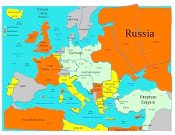
Cold War Simulation Activity & Lesson Plan
- Age Group: 7-12 (Has been done below 7th and college)
- Time/Length: orientation: 40 min, simulation (2-3) 40 minute periods.
- If you have more students than countries, appoint foreign ministers to each.
- Online Platform: One-year subscription included with a lesson plan.
- Renewal: $24.00/year.
- Shop HistorySimulation.com
Online Platform Trouble Shooting
- I always start with an Incognito window: Chrome or a Private Window: Safari. This should start you with a clean cache.
- Always clear the cache/history before each session/class period. This will dramatically reduce the chances of glitches.
- If you have issues, log out of the website, clear the cache/history, and log back in.
- If the program duplicates forces by accident, just drag them off to a corner of the map.
- If you make a mistake-use the Add Forces Button to correct it.
- Shop HistorySimulation.com